FIRMS
$30 / client file / mo
Includes 10 active payees per file. $2.50 each beyond.
3-file minimum ($90/mo)
Unlimited firm users, every feature, no platform fee. The firm’s own books: free forever.
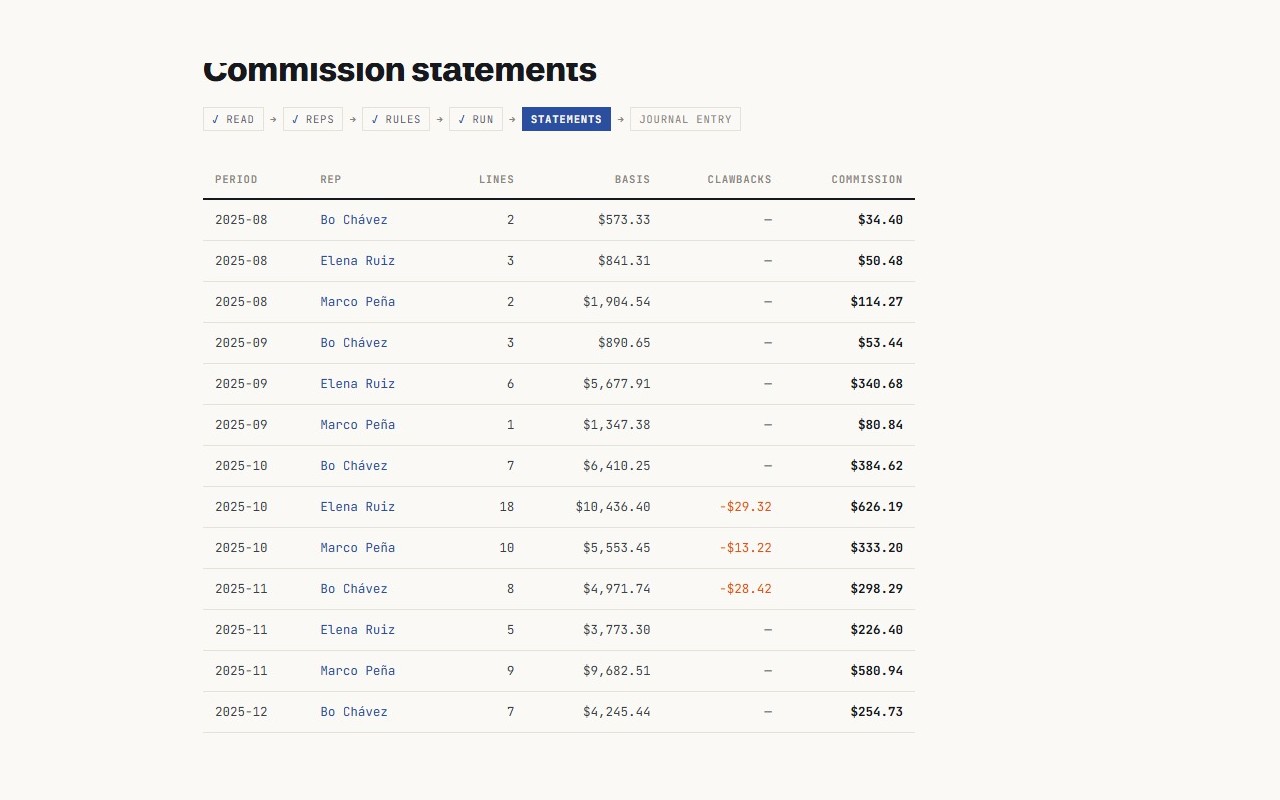
SalesRepFielder reads your invoices, applies your rules, and ends the month as one statement per rep and a journal entry you approve.
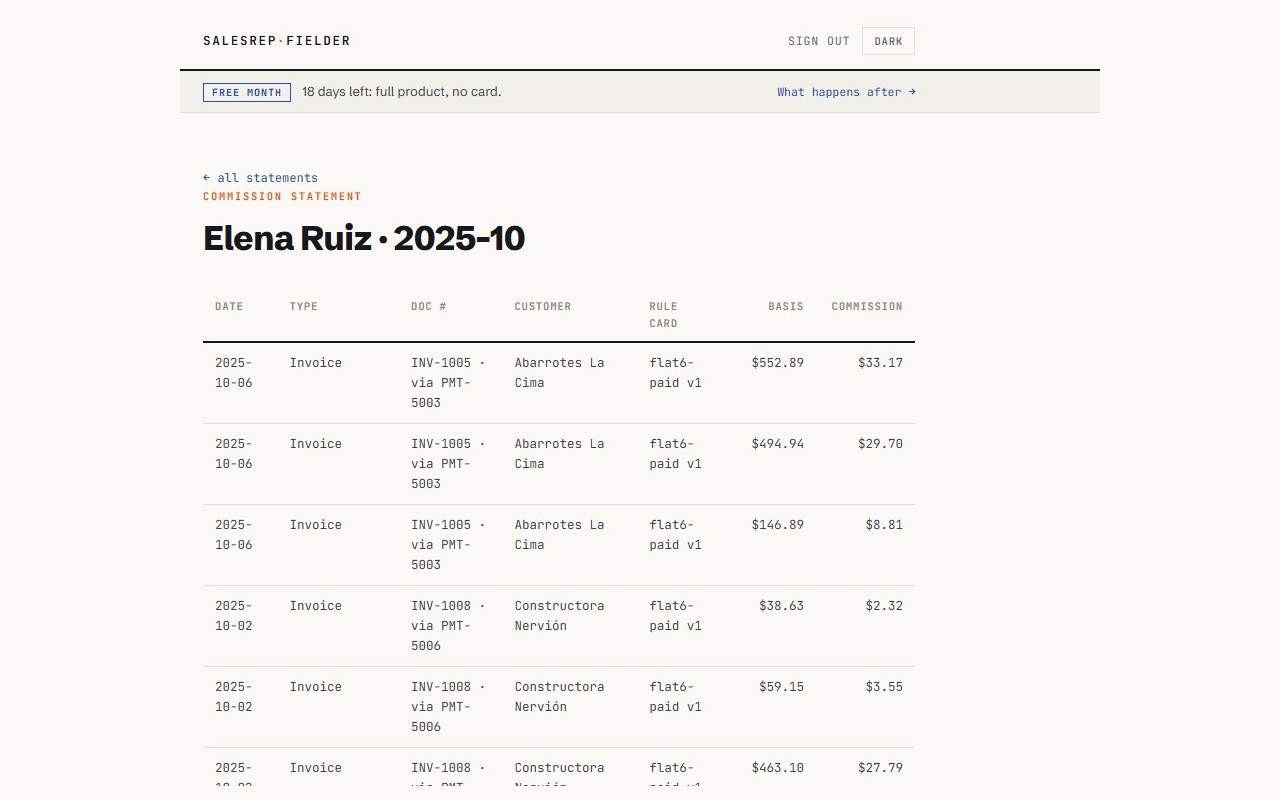
Every line traces to a QuickBooks transaction and the versioned rule that computed it.
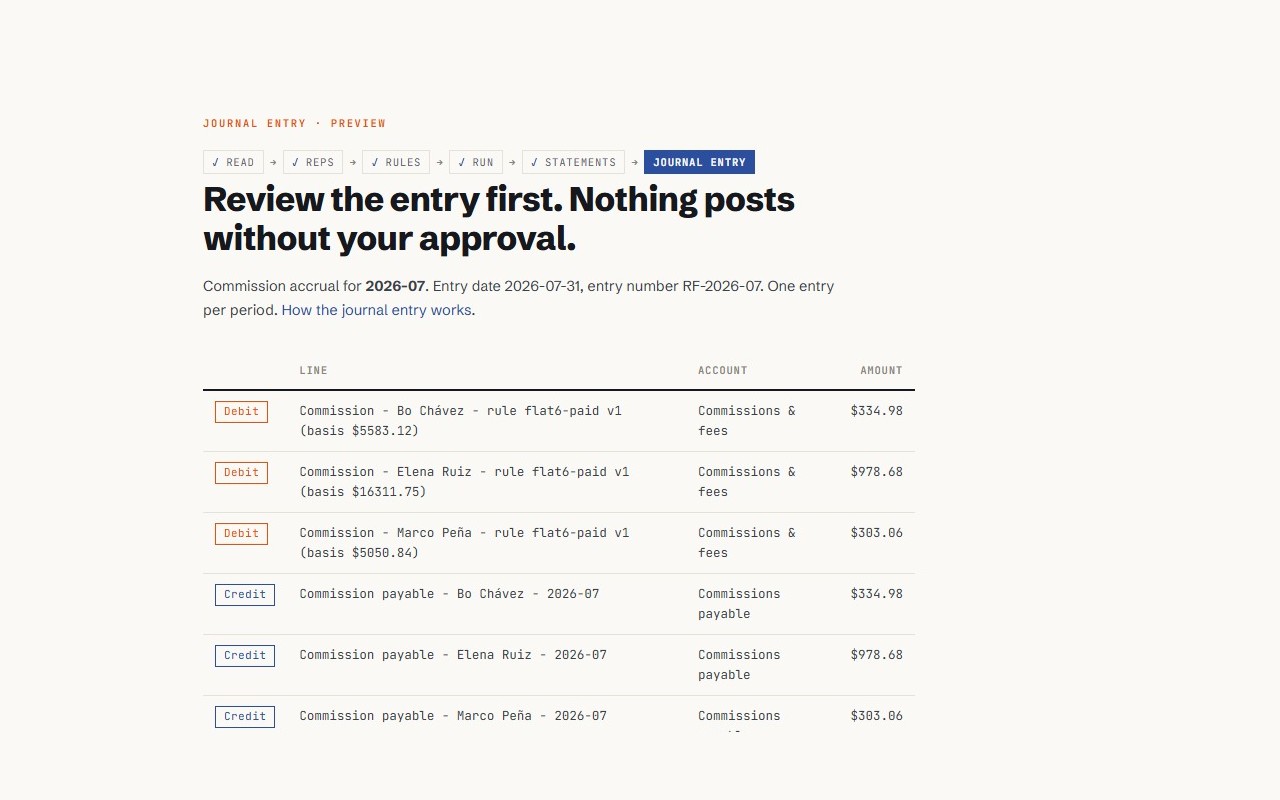
Nothing posts without your approval. One journal entry per period, previewed first; duplicates refused.
Re-runs replace statements, never your books.
Export always works, paying or not.
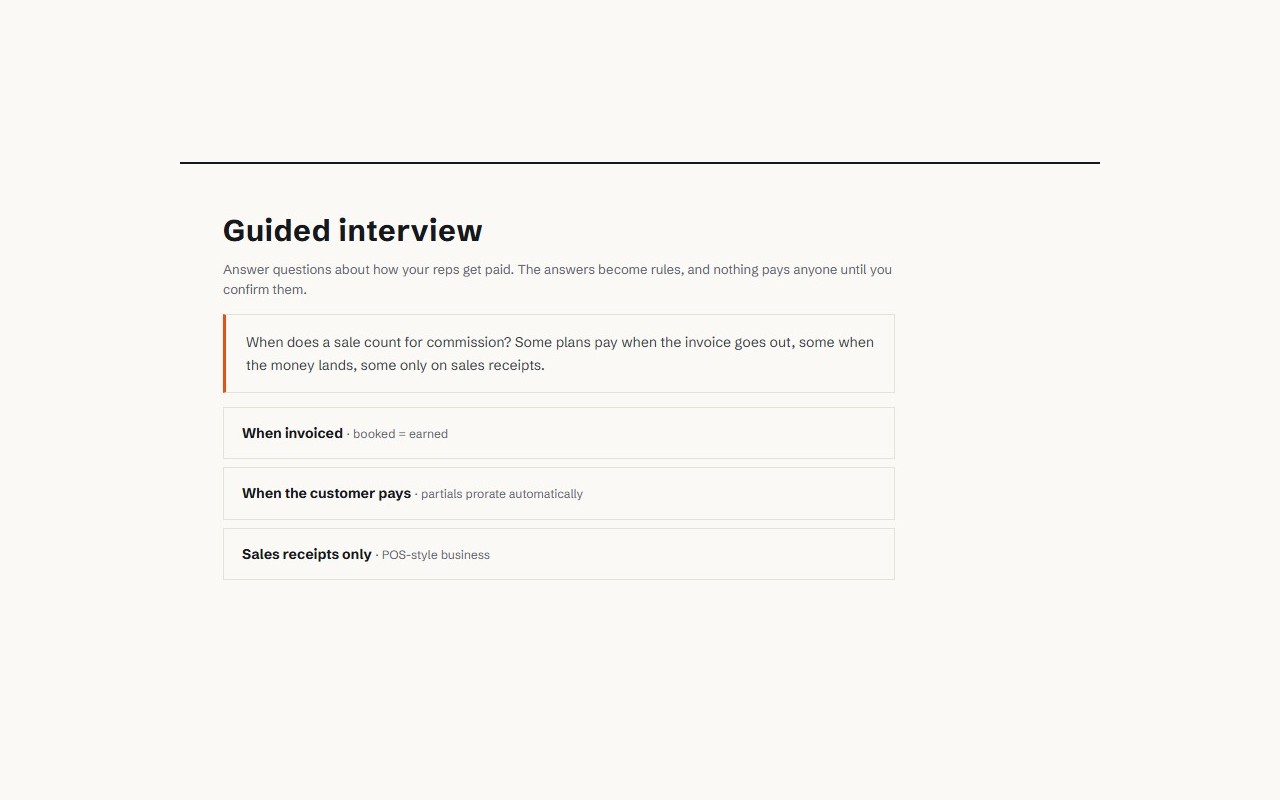
Answer questions; it writes the rules.
Type the rates, splits, tiers, and draws yourself.
Hand it your spreadsheet; it reads the plan out of the formulas.
Whatever the path, you confirm every rule before it pays anyone. Migrating from Desktop? Setup verifies your rep data survived.
Read the books, run the rules, see every number. Stop here if a spreadsheet workflow is all you want to replace.
Send each rep a statement link. No logins, no seats; the statement shows every document behind every dollar.
Approve the journal entry and the month is closed in QuickBooks, not in a file beside it.
Rates, splits, tiers, draws with legal guardrails. Firms run every client file with unlimited firm users.
Flat. No tiers, no overage, no platform fee. Unlimited admins, every feature.
Includes 10 active payees per file. $2.50 each beyond.
Unlimited firm users, every feature, no platform fee. The firm’s own books: free forever.
Trial: 1 month free, full product, no card. Add a card at day 30 to continue. No auto-conversion, nothing charged, nothing deleted. Without one: client files lock, own books stay free, export stays on.
Annual: 25% off from month two, priced on what you actually used in month one. 3 client files: $810 a year instead of $1,080.